
Microsoft Project IDA

Onboarding and Chatbot Integration

Hero Featured Image

Client

Microsoft AI Lab Projects Division.

Tools

  • Figma

  • Microsoft Azure

  • Microsoft Fluent Design System

  • Power Point

My Role

Product Designer - Led end-to-end UX strategy and design execution, encompassing generative user research, persona development, journey mapping, and high-fidelity prototyping. Partnered with engineering and product stakeholders to define MVP requirements and technical constraints.

Project Time

5 Months

Background

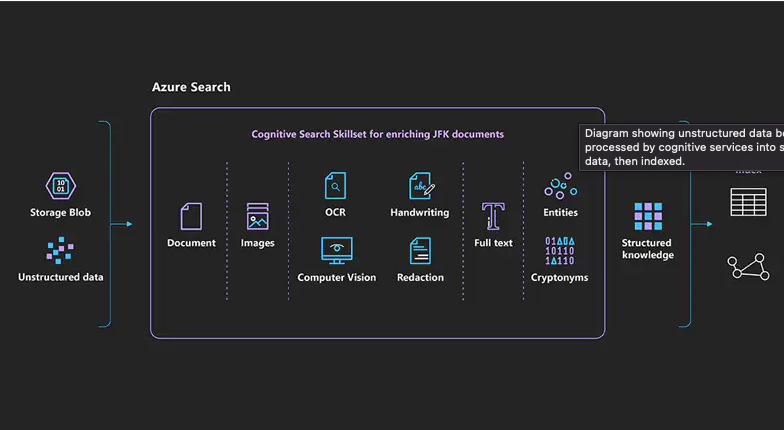
Microsoft AI Labs developed the Insights and Discovery Accelerator (IDA)—a powerful enterprise platform leveraging Azure AI to mine unstructured data. Designed for organizations managing massive data archives, IDA accelerates complex investigations and cross-functional research at scale.

The Challenge

Despite its powerful underlying technology, IDA suffered from an extreme learning curve. The platform lacked a structured onboarding flow, dropping users into a highly technical interface without adequate contextual guidance.

  • The absence of onboarding caused severe friction, leading to immediate user confusion and cognitive overload.

  • Users struggled to build mental models of the platform's navigation and core capabilities.

  • A lack of contextual, in-product support resulted in high abandonment rates during the initial discovery phase.

Case Study Image

Research Strategy

To establish a baseline, I designed a qualitative research initiative targeting our core demographic: enterprise researchers, investigative journalists, and academic professionals.

  • What existing paradigms and platforms do these users rely on for complex data synthesis?

  • Where do these legacy platforms fall short in accelerating the research workflow?

  • What onboarding heuristics minimize friction when introducing deeply technical software?

  • What is the acceptable time-to-value (TTV) threshold for new users in this domain?

  • How can conversational AI bridge the gap between complex software navigation and user intent?

Case Study Image

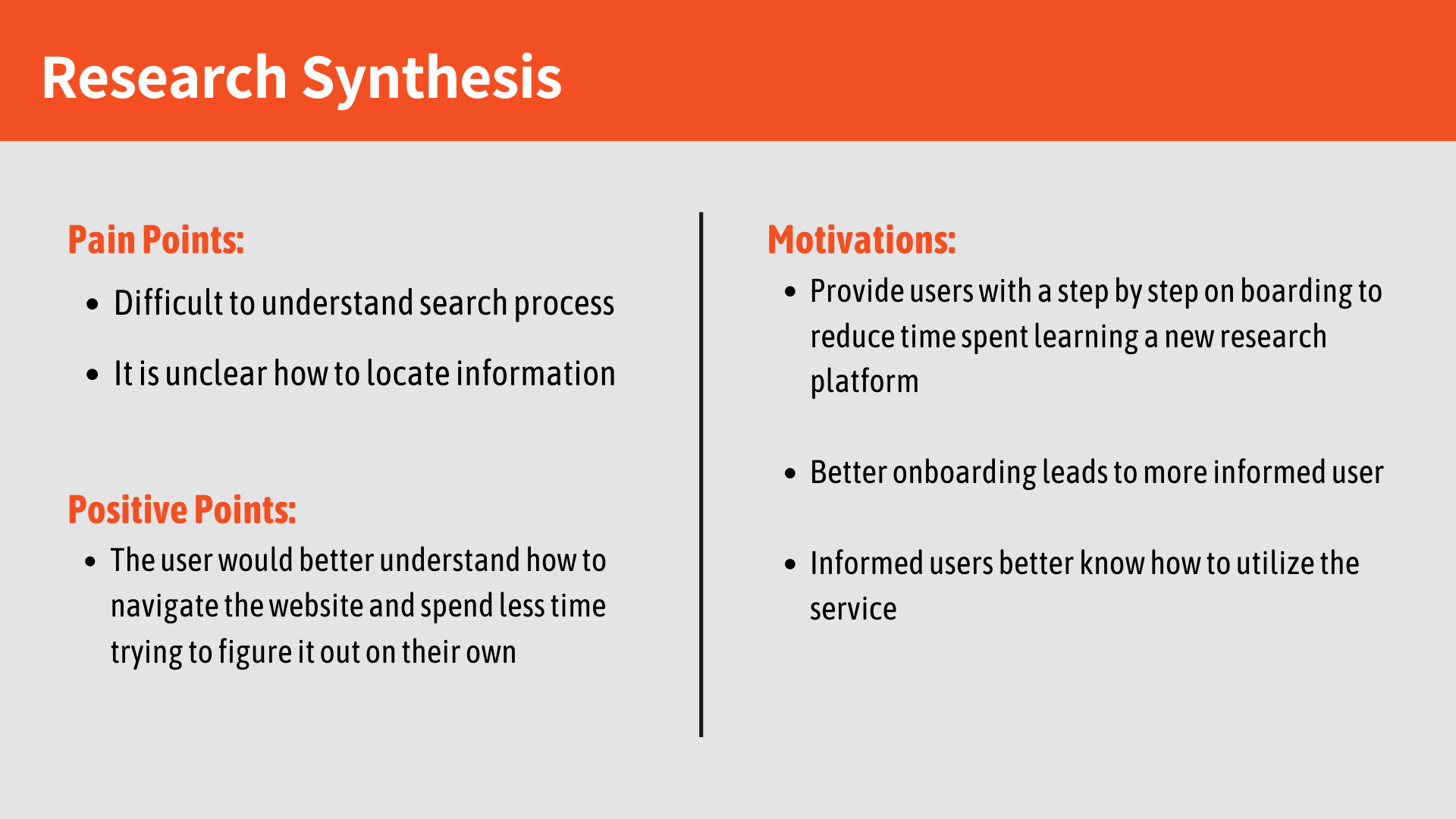
User Insights & Discovery

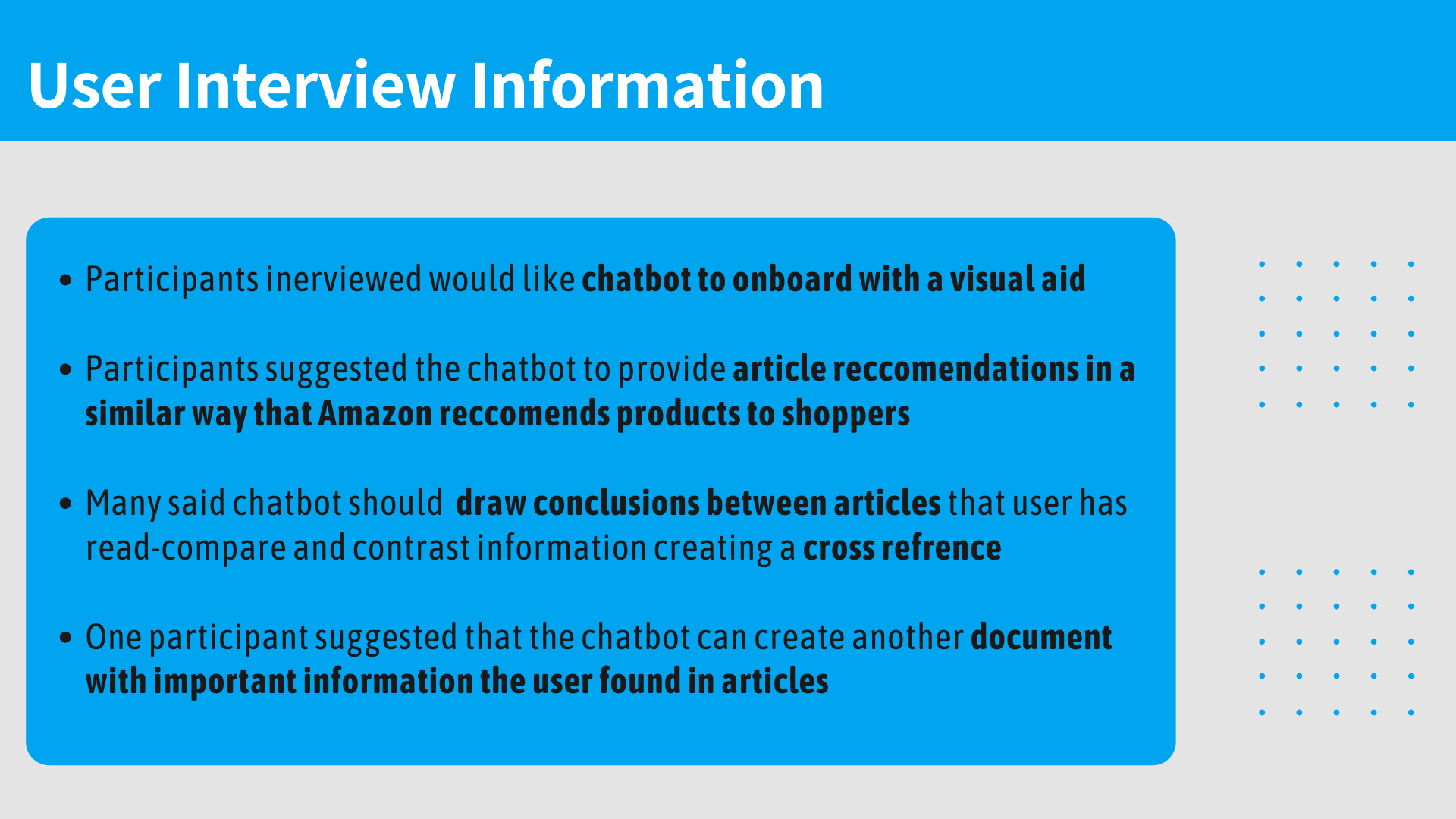
Synthesis of our user interviews highlighted a critical demand for contextual, on-demand guidance rather than static, front-loaded tutorials. Participants overwhelmingly favored conversational interfaces that could provide visual wayfinding. Furthermore, users expressed a strong desire for the AI to proactively surface lateral connections—recommending relevant literature and drawing comparisons across disparate data points, much like a collaborative research assistant.

Case Study Image

Target Audience Strategy

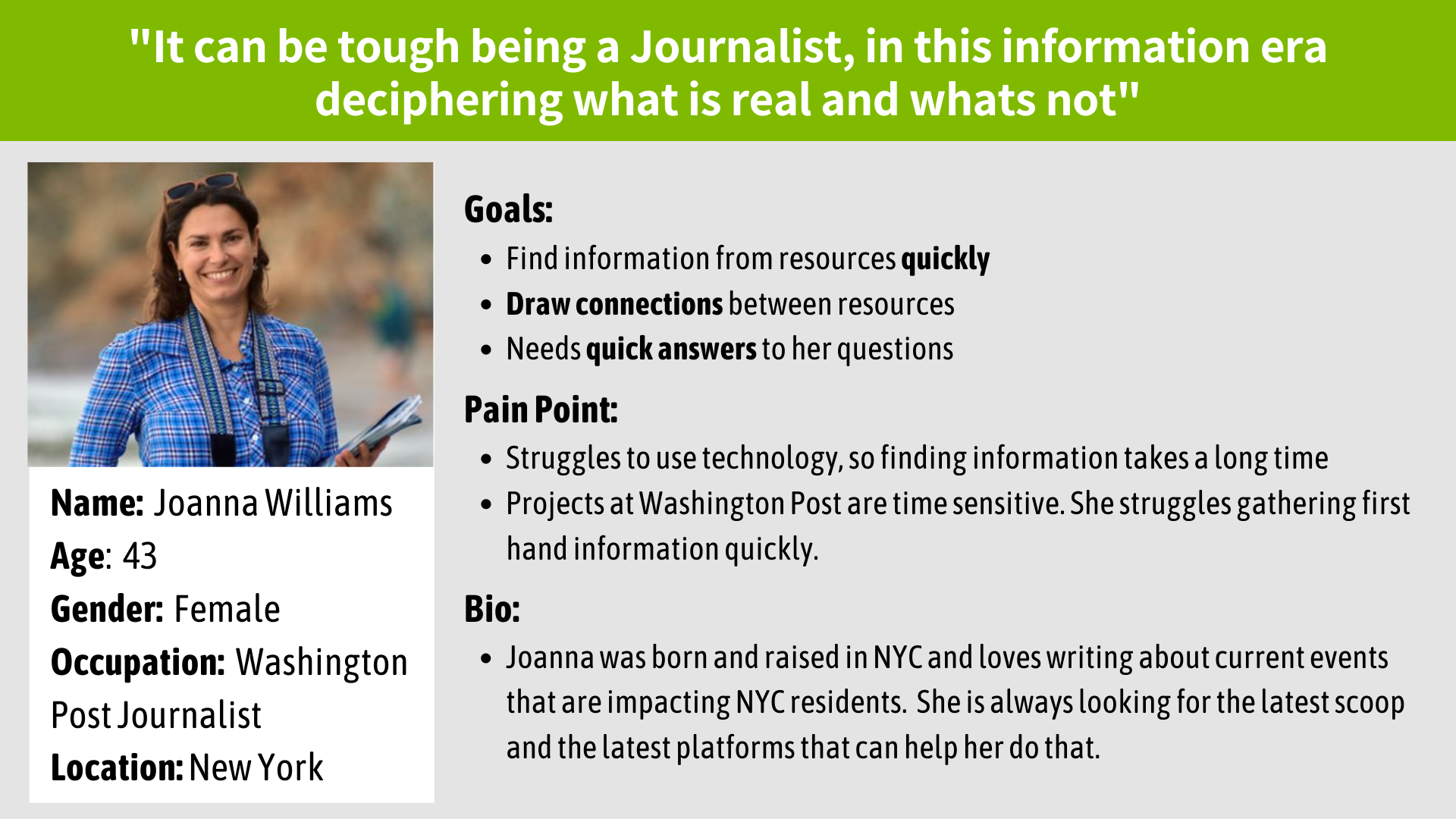
Translating behavioral data into actionable design artifacts, I developed primary user archetypes to anchor the product vision.

  • This persona modeled the sophisticated needs of the primary enterprise researcher using the IDA platform.

  • It was deeply rooted in the qualitative insights gathered during discovery.

  • The persona served as a strategic compass, ensuring feature prioritization aligned directly with user pain points.

  • It provided a consistent touchpoint to evaluate design decisions and mitigate scope creep throughout the product lifecycle.

Case Study Image
Product Layout Screen

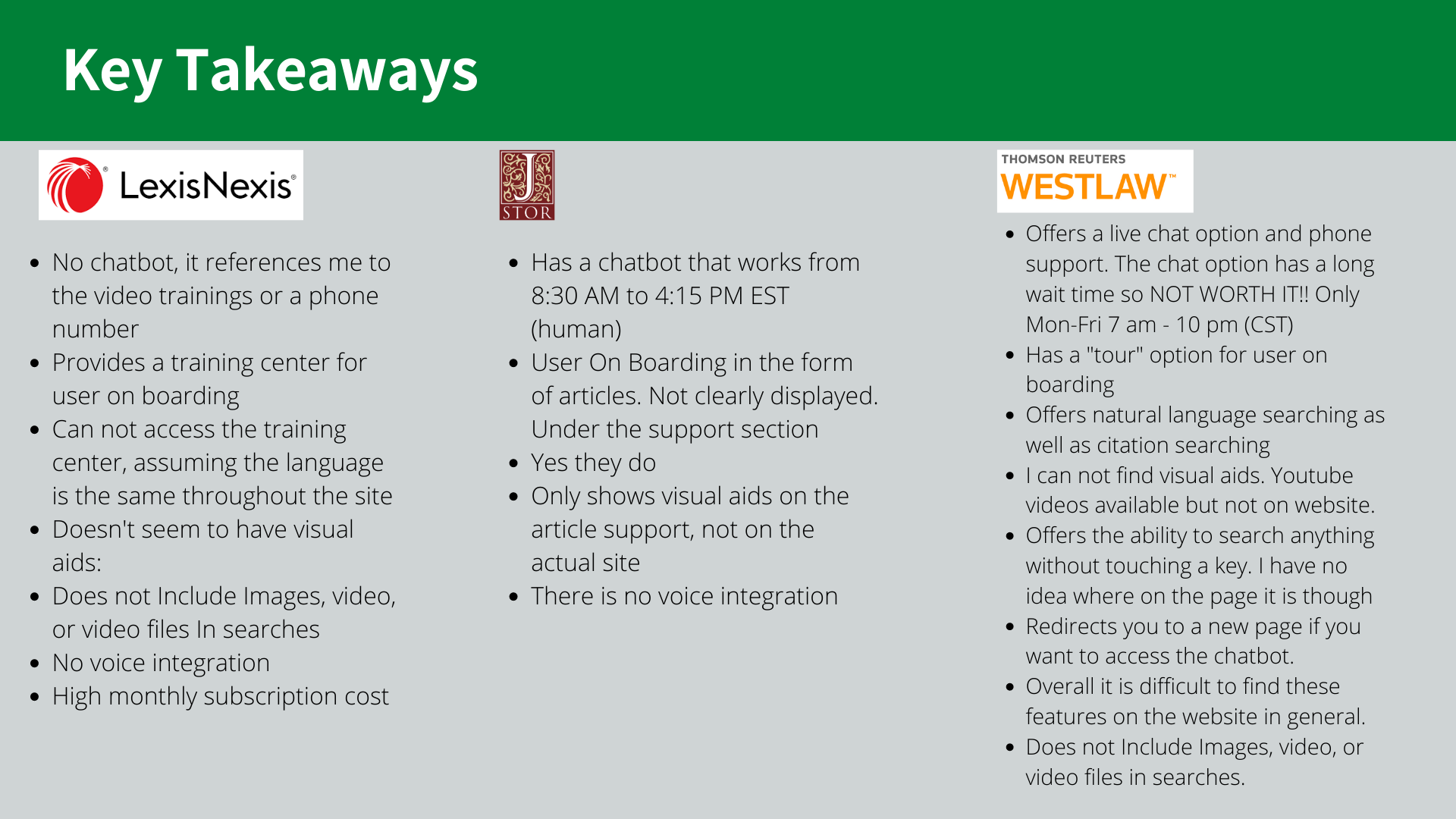
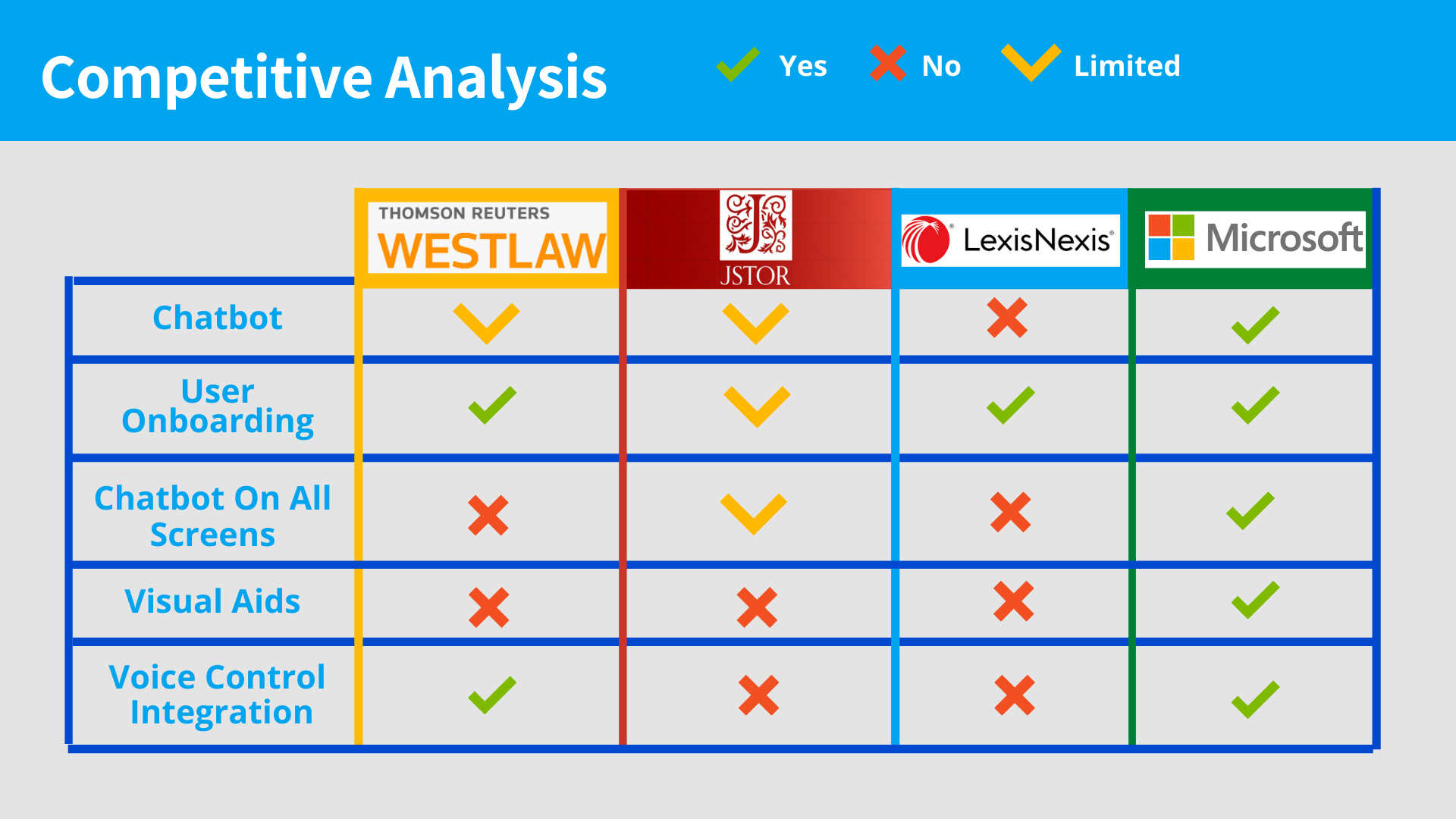
Competitive Landscape

I conducted a heuristic evaluation of prominent market leaders in the data intelligence and research sector. This analysis mapped existing onboarding models and conversational UI patterns, revealing clear opportunities for IDA to differentiate through deeper contextual AI integration rather than relying on generic tooltip tours.

Case Study Image
Product Layout Screen

Strategic Hypothesis

By replacing static onboarding with an intelligent, contextual conversational agent, I hypothesized we could significantly reduce time-to-value on the IDA platform. This AI companion would not only guide initial wayfinding but evolve into a persistent, high-utility research assistant capable of executing complex queries and synthesizing information on the fly.

Case Study Image

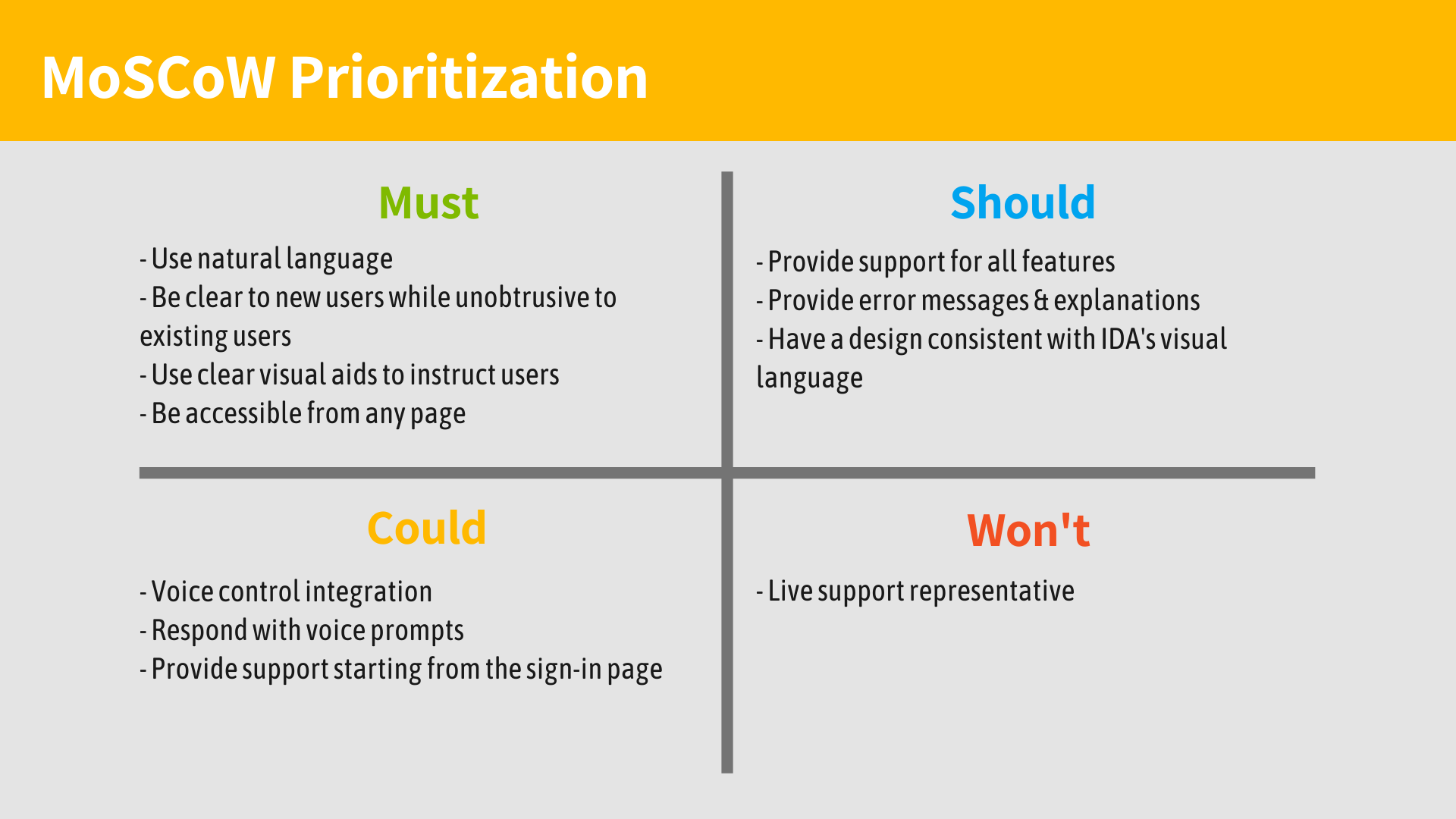
Feature Prioritization (MoSCoW)

Following ideation, I utilized the MoSCoW framework to rigorously prioritize features, balancing engineering feasibility with maximum impact on the core onboarding and discovery loops.

Case Study Image

The Solution

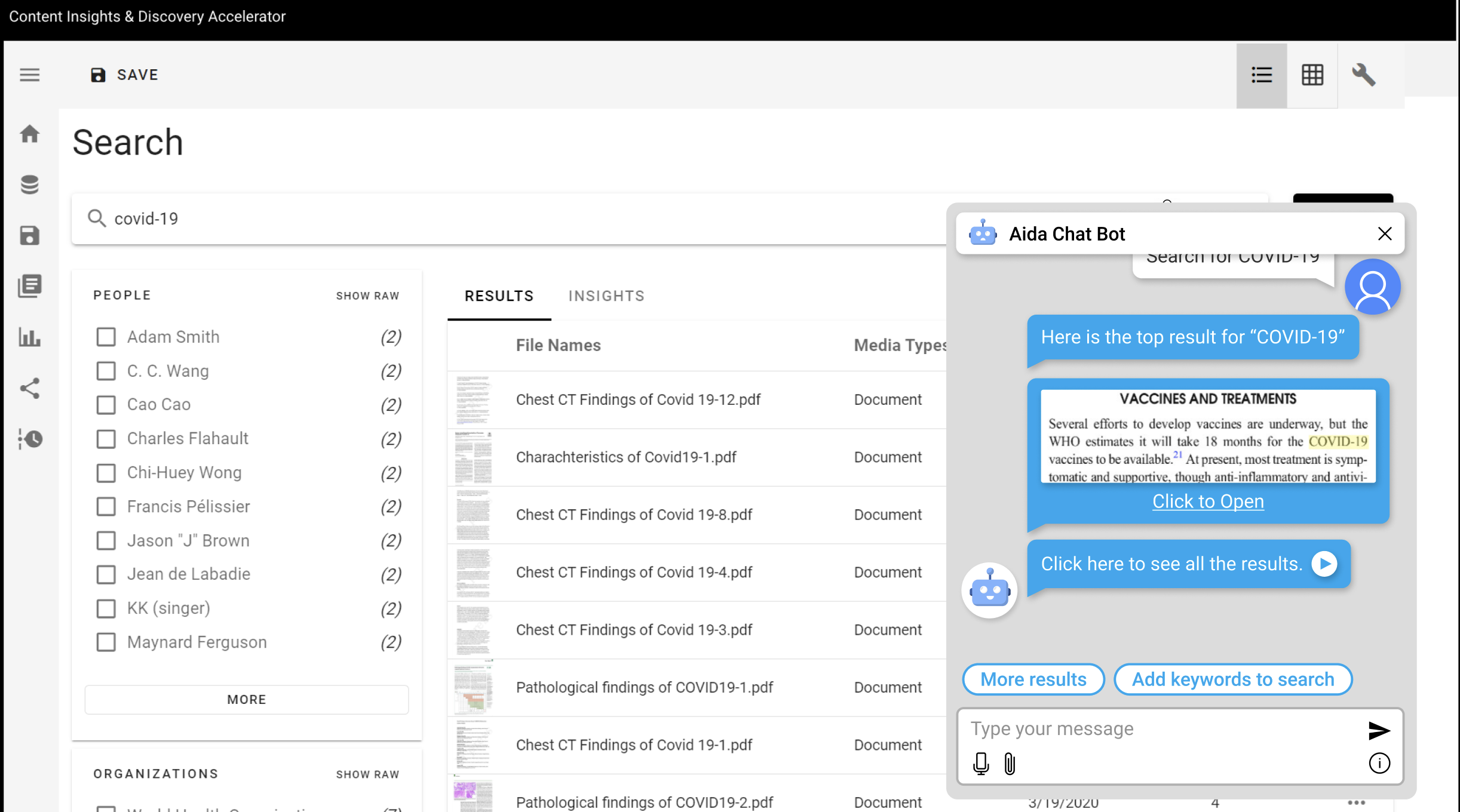
The solution centered on deploying an embedded AI copilot, powered by Azure AI, serving dual functions as both an onboarding guide and a persistent research aggregator.

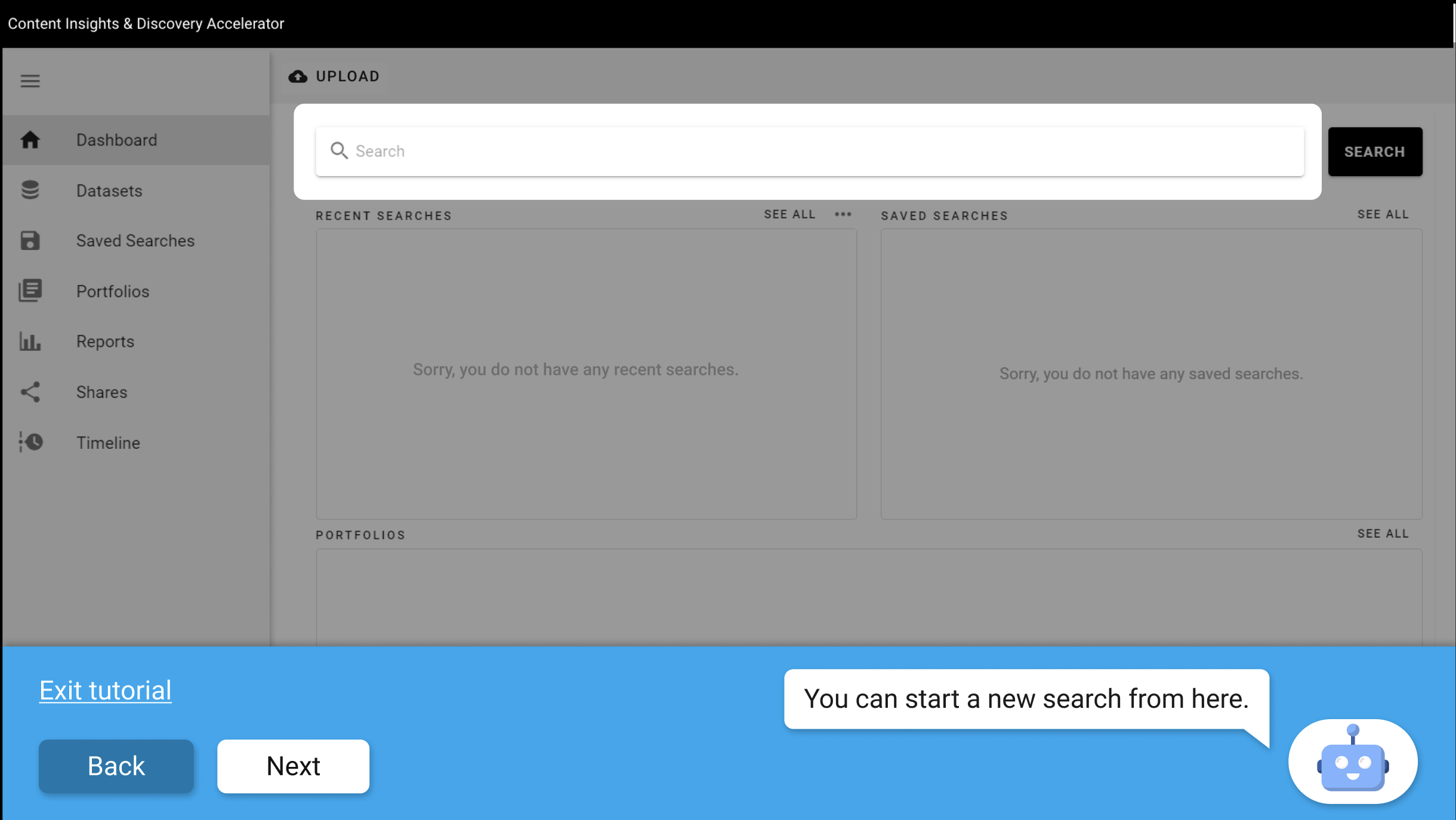
  • A dynamic, conversational onboarding flow that adapts to the user's initial goals.

  • Leveraging Azure AI to provide immediate, contextual answers without forcing context-switching.

  • Visual UI highlighting driven directly by natural language queries to teach system navigation.

  • A persistent, collapsible assistant available at any point in the user journey.

  • Intelligent memory architecture allowing the AI to retain session context and proactively surface relevant datasets.

Case Study Image

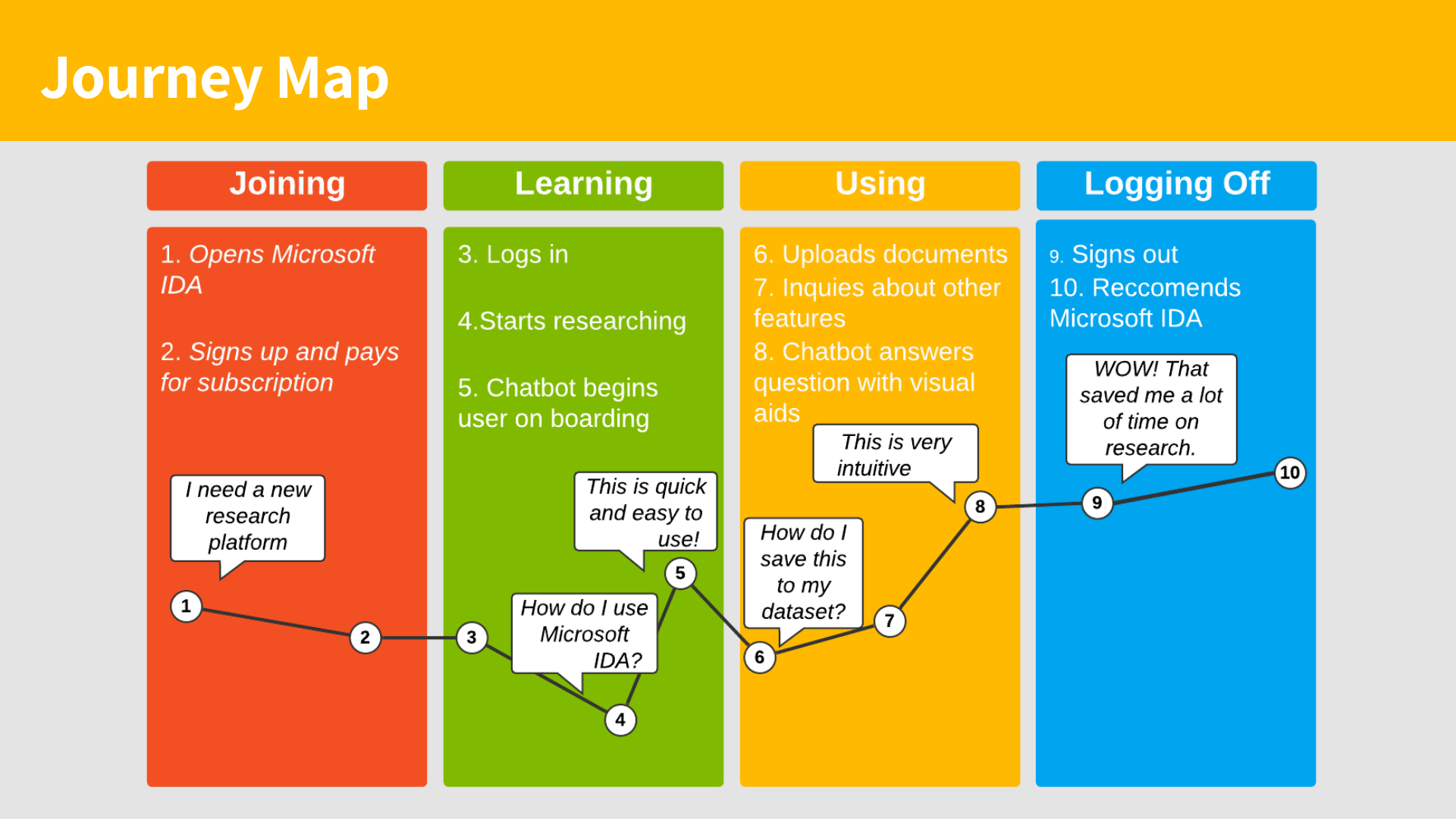
Journey Mapping

I mapped the ideal user journey to choreograph the exact moments of intervention. This artifact ensured the AI's presence felt empowering and responsive rather than intrusive during critical moments of cognitive load.

Case Study Image

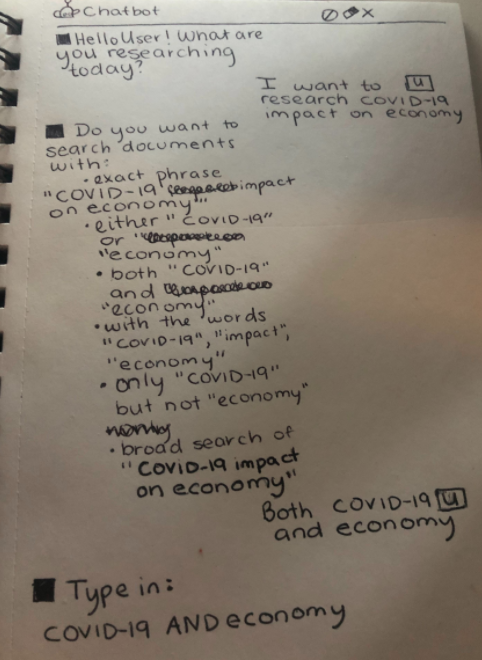
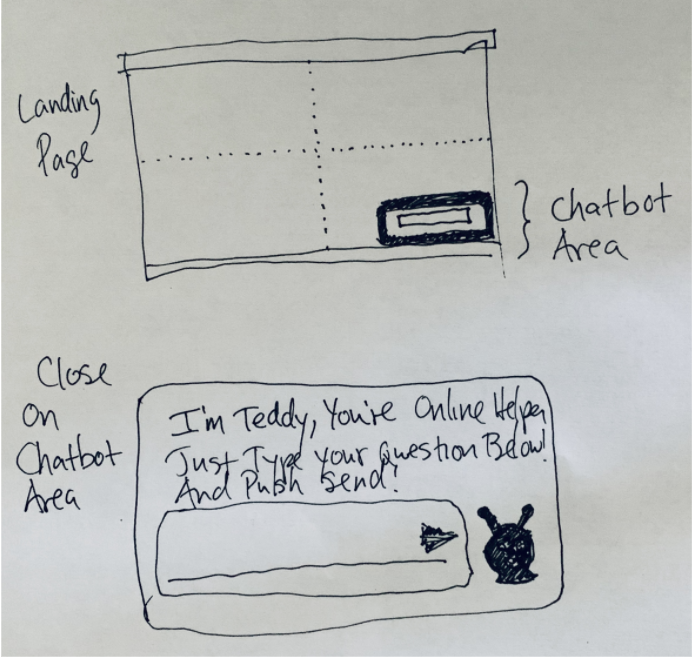
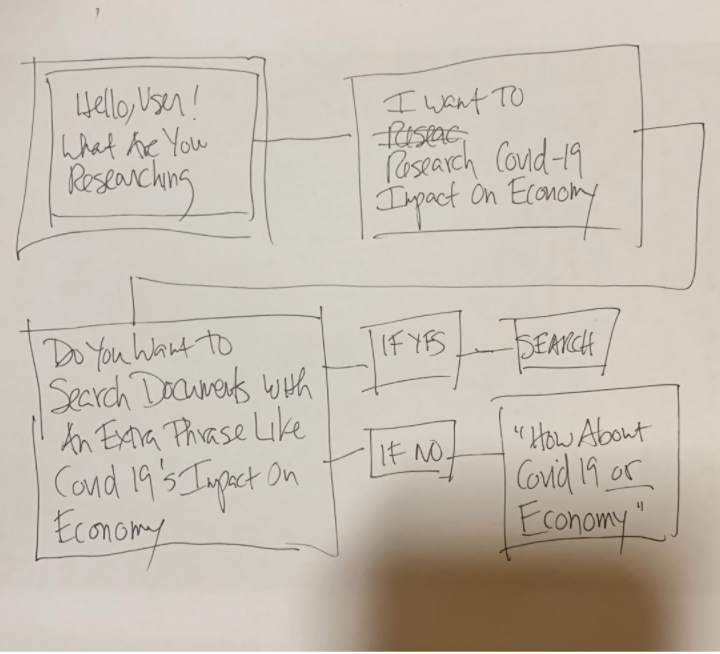
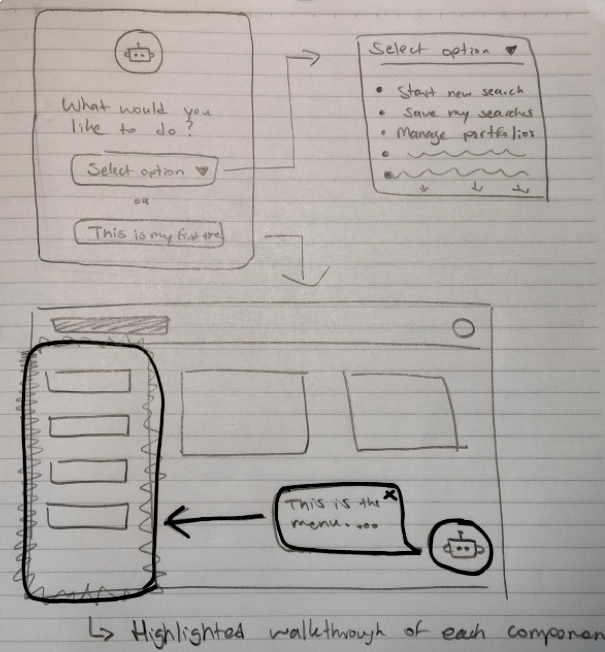
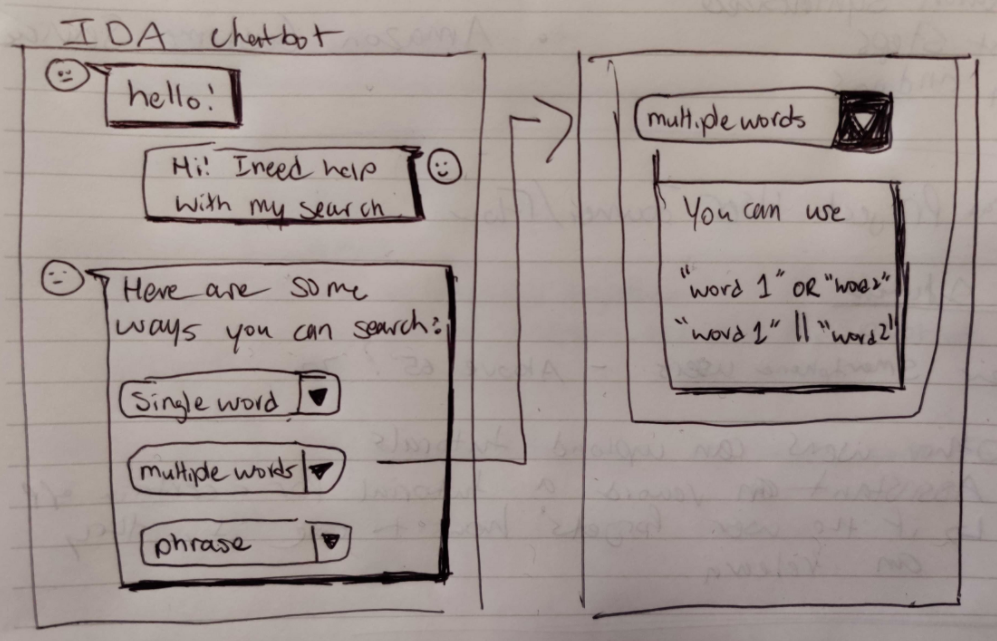
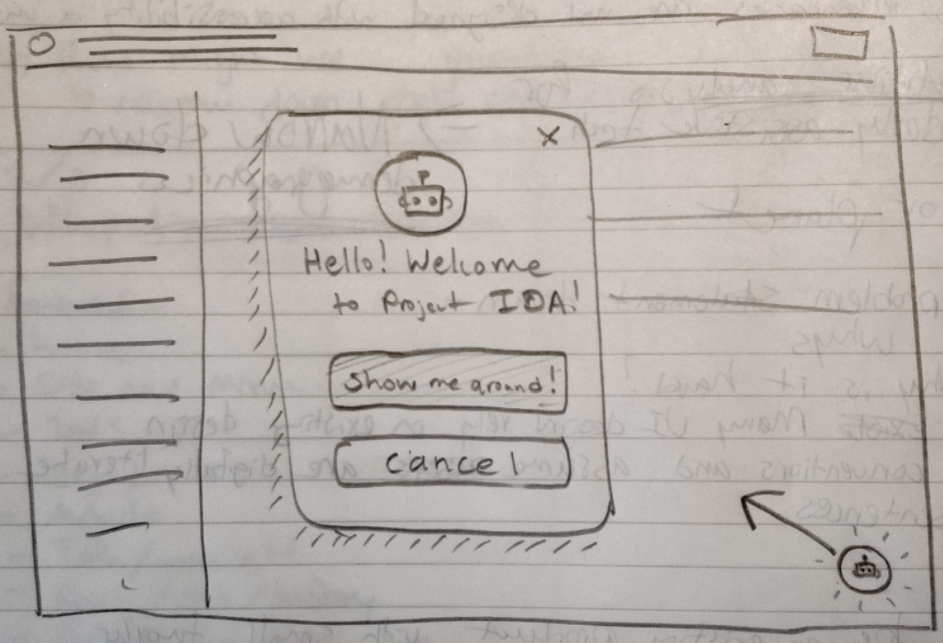
Ideation & Wireframing

  • Rapid low-fidelity sketching allowed me to iterate quickly on spatial layouts and conversational UI patterns.

  • Synthesized user feedback directly informed the positioning and visual weight of the assistant.

  • Because the platform leverages Azure AI, all interface mockups were driven by realistic, natural language use cases.

  • Explored multiple interaction models, prioritizing conversational fluidity and clear visual feedback.
Structural Prototyping

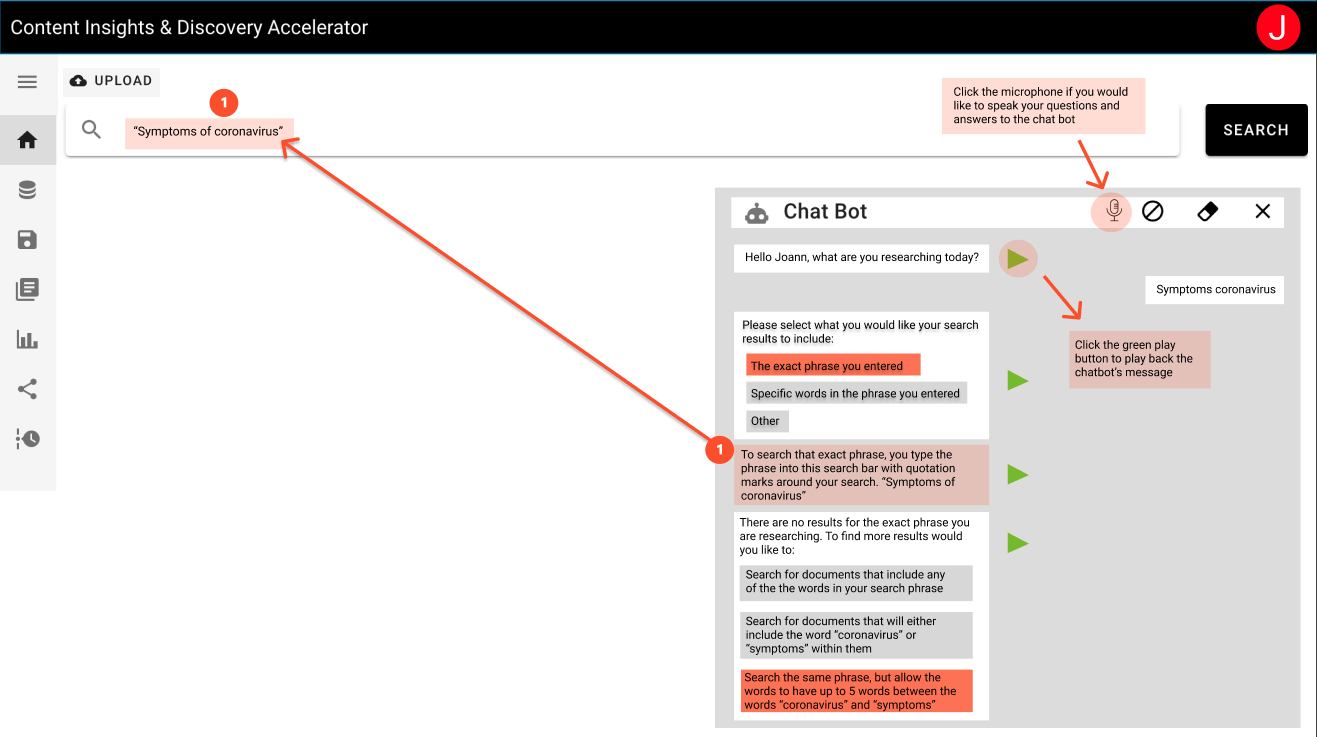
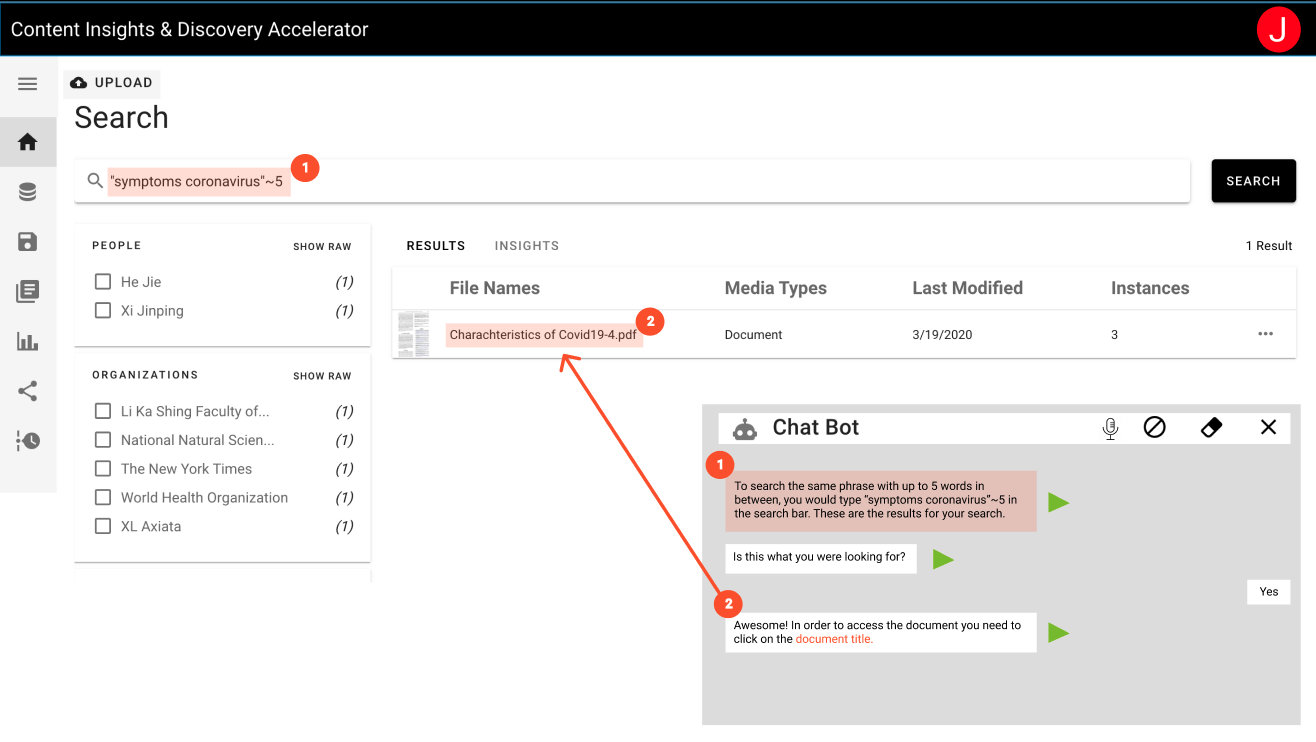
Translating sketches into mid-fidelity wireframes allowed for rigorous testing of the conversational interaction model and spatial logic.

  • Refined the architectural placement to ensure the chat window never obscured critical data visualizations.

  • Designed a system of visual affordances where the AI could dynamically highlight UI elements to answer "How do I...?" queries.

  • Established a sequential logic system to handle multi-step actions without losing conversation context.

Brand Identity & Visual Design

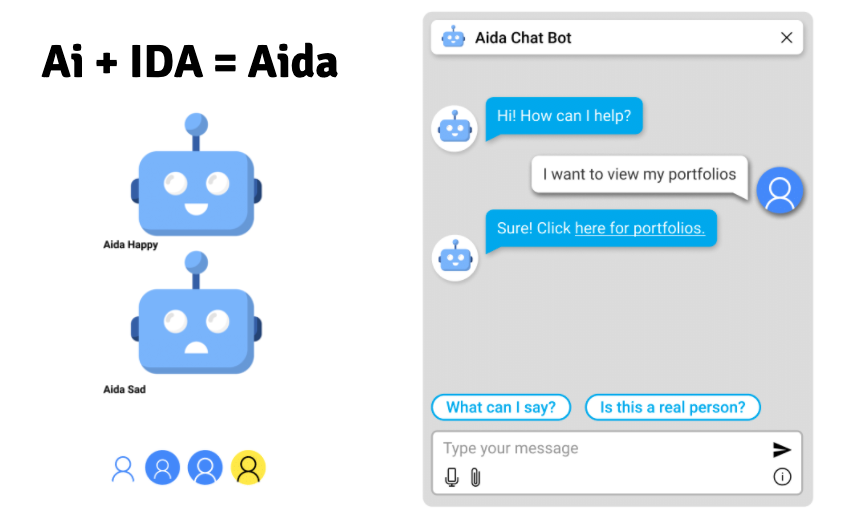
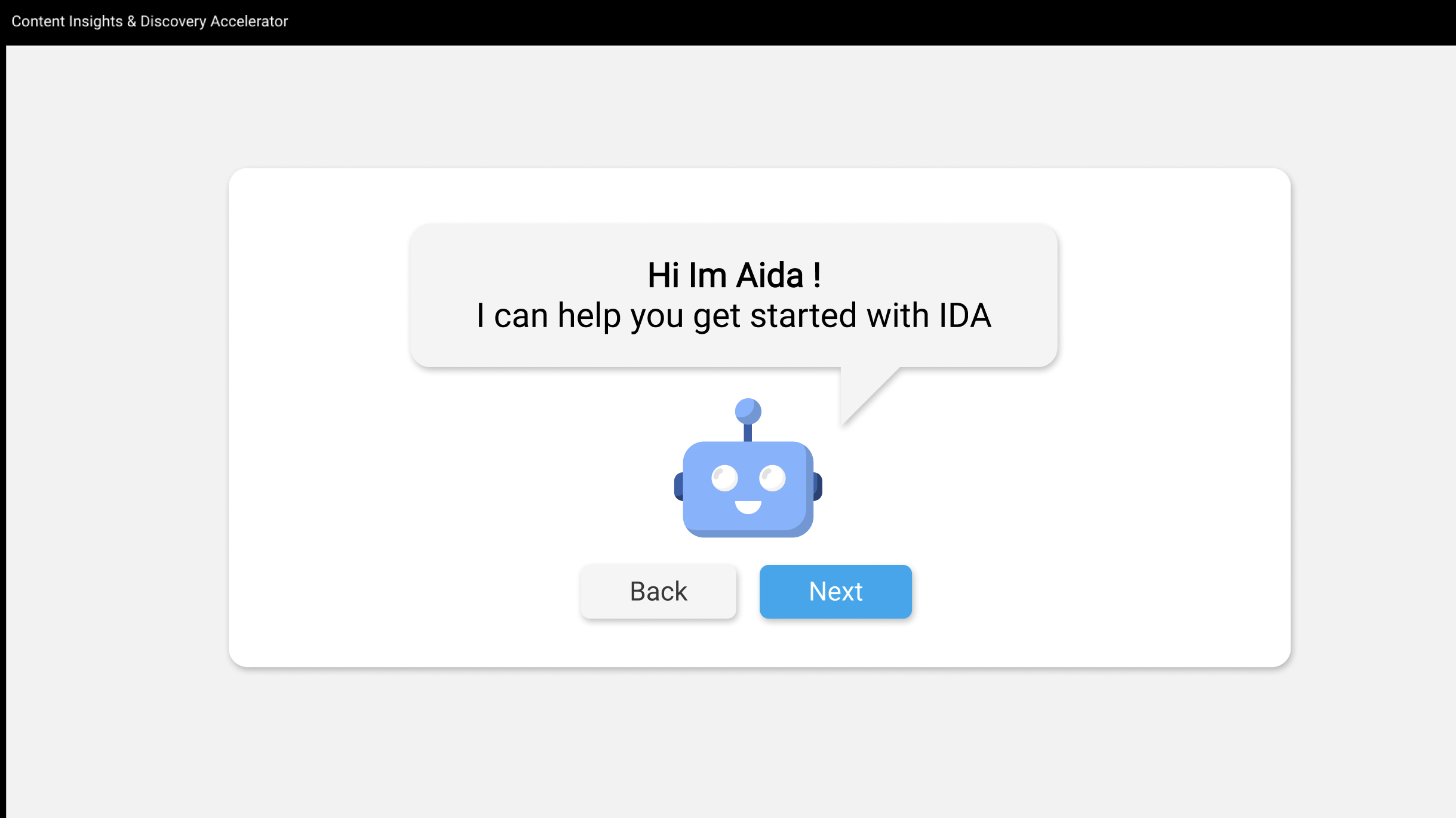
I conceptualized "Aida" (AI + IDA) to humanize the interface. The visual design leveraged the Microsoft Fluent Design System to ensure brand cohesion, focusing on micro-interactions and empathetic copy to build user trust.

Case Study Image

Contextual Integration

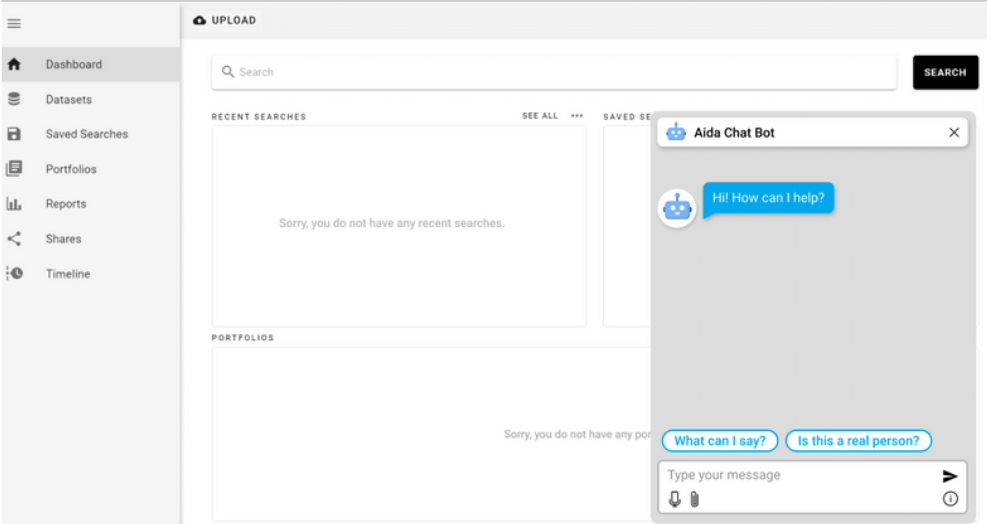
The core design challenge was seamlessly embedding Aida into the dense IDA interface. I prioritized non-destructive overlays and clear visual hierarchies to ensure the assistant felt like a natural extension of the workspace.

Case Study Image

Final UI Interaction & Prototyping

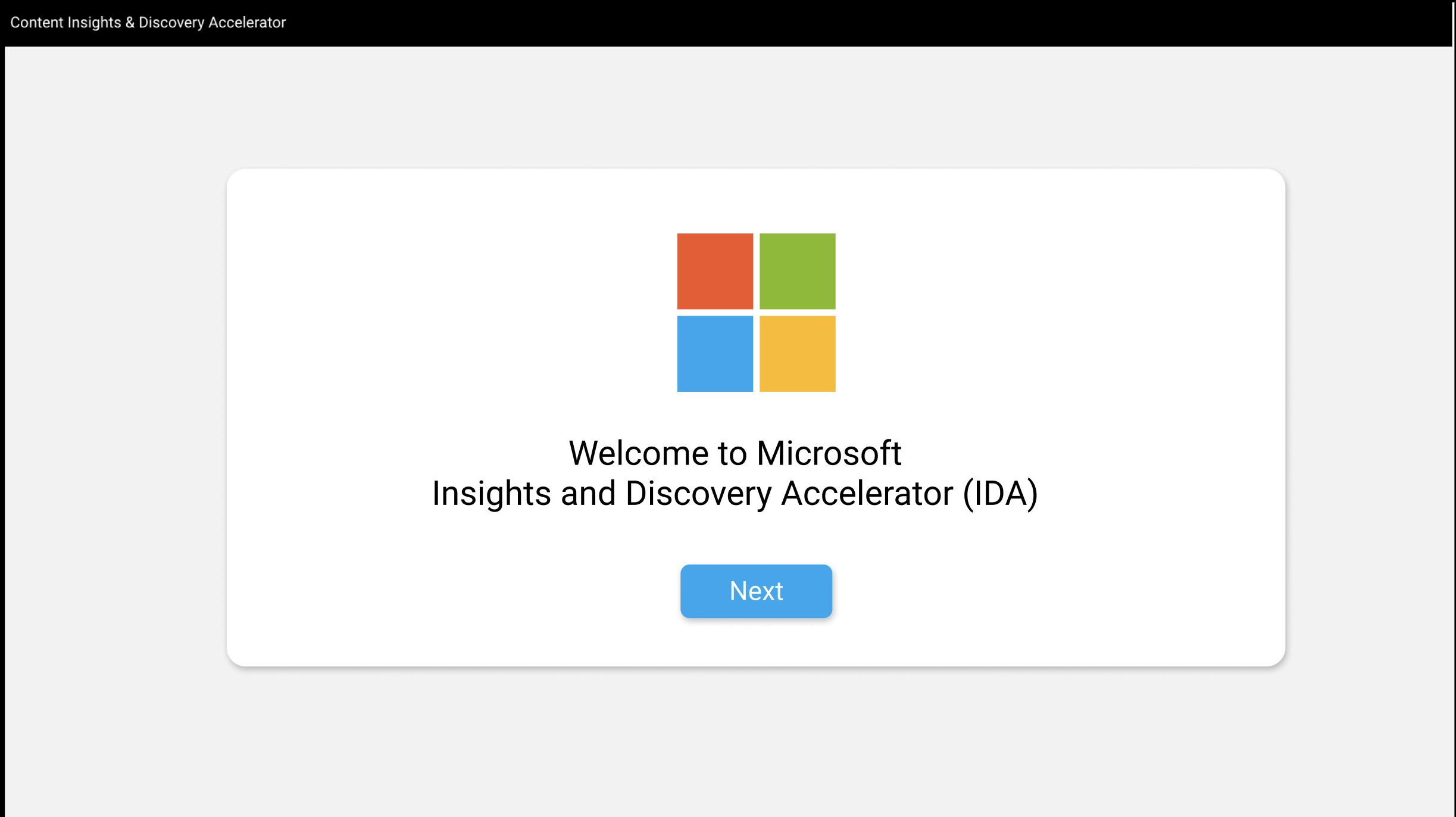
  • The high-fidelity prototype demonstrates Aida orchestrating a fluid, context-aware onboarding flow.

  • Strict adherence to Microsoft's Fluent Design System ensured enterprise-grade polish and accessibility compliance.

  • Prototyped complex interaction states in Figma to simulate dynamic Azure AI responses.

  • The final implementation successfully evolved the assistant from a reactive help menu into a proactive, high-value research partner.

Strategic Retrospective

This initiative underscored the profound impact of conversational AI when applied thoughtfully to complex enterprise environments. By expanding the scope from a simple onboarding tutorial to a persistent, intelligent copilot, I designed a solution that not only solved the immediate friction of platform adoption but fundamentally elevated the user's ongoing research capabilities.